skinning
English | 日本語
Overview
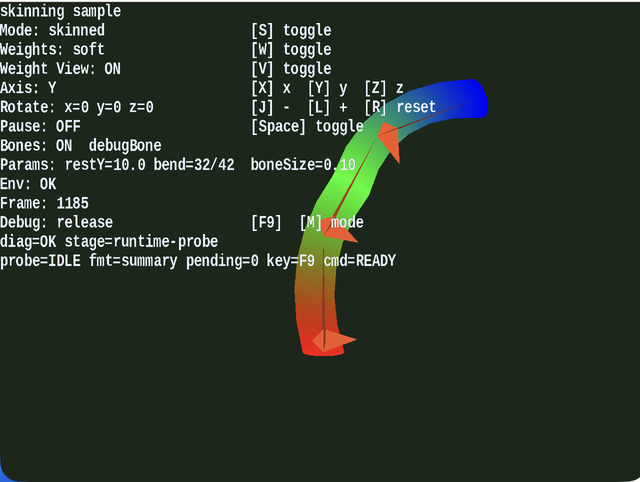
- This is an instructional sample for closely observing skinning deformation while switching weight distribution and rotation axes
- You can switch between
static,soft,hard, andweight viewand compare only the skinning appearance on the same shape
How to Run
- Open ./skinning.html
- Use a browser with WebGPU support, and check the help panel and HUD together with the sample when needed
webg Features Used
WebgApp: initializes display, input, and the operation guideSkeleton / Shape.addVertexWeightSmoothShader: shared entry point forstatic / skinned / weight_debugSpace.drawBones: draws the bones- Live mode switching for direct comparison on the spot
Checkpoints
- When switching between hard and soft weights, confirm how the continuity at bend boundaries changes, and consider weight design choices for different uses
- Confirm that deformation occurs as expected for each axis switch and rotation operation, making it easier to detect mistakes in local-axis interpretation
- Confirm that display changes immediately when
S / W / Vis pressed, making it easy to comparestatic / soft / hard / weight debugback and forth
Controls
S: toggle static modeW: switch the weight mode between hard and softV: toggle weight visualization on or offX / Y / Z: choose the object rotation axisJ / L: rotate the object around the selected axisR: reset the object rotationSpace: pause or resume bone animation