high_level
English | 日本語
Overview
- This sample extracts the
WebgAppexample from the "standard usage" section ofREADME.mdso it can be run and checked immediately - It uses
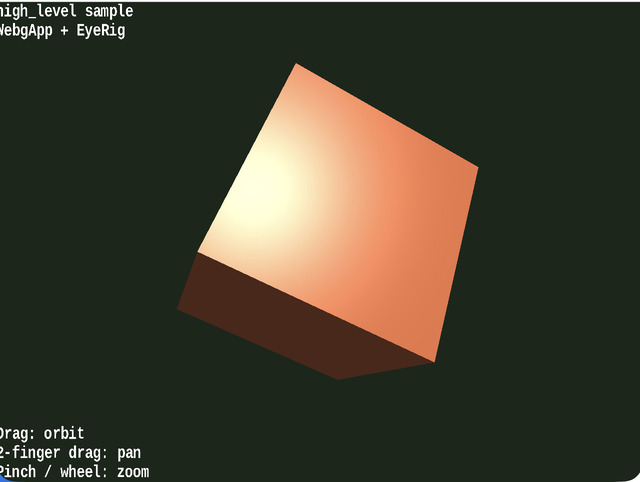
WebgAppas the entry point and initializesScreen,shader,Space,camera rig,InputController, andMessagetogether EyeRig(type="orbit")is added for camera control so the minimal example from the README is easier to inspect as-is- The object rotates automatically every frame, and the camera can be moved with mouse drag / wheel / arrow keys /
[ ]and touch gestures such as one-finger drag / two-finger drag / pinch, so you can quickly feel what a minimal 3D app built withWebgAppis like - Pressing
ScallsWebgApp.takeScreenshot()and saves the canvas ashigh_level_YYYYMMDD_HHMMSS.png
How to Run
- Open ./high_level.html
- Use a browser with WebGPU support, and check the help panel and HUD together with the sample when needed
webg Features Used
WebgApp: initializesScreen / Shader / Space / Camera / Input / MessagetogetherWebgApp.takeScreenshot: schedules screenshot saving without touchingScreendirectlyEyeRig: adds mouse / touch / keyboard control for an orbit cameraShape: bundles primitives into GPU buffers and materialsPrimitive: creates the cube meshMessage: draws guide lines and status lines on the canvas HUD
Checkpoints
- Right after startup, confirm that a blue cube appears at the center and that the status at the upper left overlaps with the guide at the lower left
- Confirm that the cube rotates automatically and that updates and drawing run only by calling
WebgApp.start() - Confirm that drag and wheel move the orbit camera, that touch controls allow one-finger rotation, two-finger panning, and pinch zoom, and that the arrow keys and
[ ]move the same camera as well
Controls
- Drag: orbit camera
- Two-finger drag: pan the camera
- Pinch / mouse wheel: zoom
- Arrow keys: orbit camera
[ / ]: zoomS: save a screenshot