compute_physics_bounce
English | 日本語
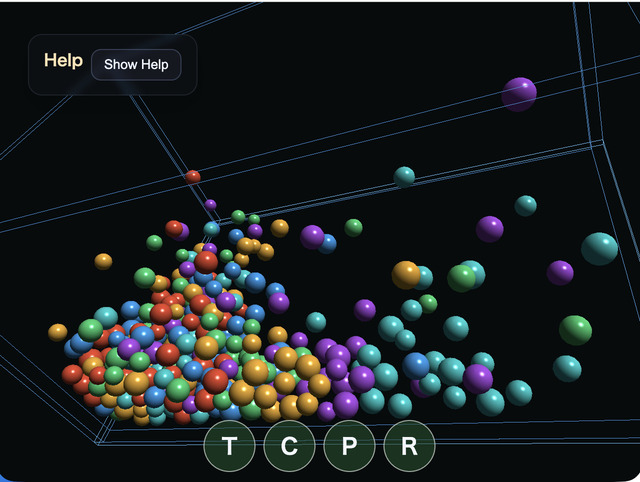
Overview
- Sphere position, radius, velocity, restitution, friction, and color are stored in a storage buffer
- In the compute shader, one invocation is responsible for one sphere and calculates gravity integration, collisions with the floor and walls, and sphere-sphere collision response
- It uses ping-pong
src / dstbuffers so every invocation reads the same previous state and writes to a separate sphere entry - The compute result is not read back to the CPU; the vertex shader reads the same storage buffer directly and renders the spheres as instances
- The original scene scale is reduced to
1/100,1 unitis treated as1 m, and gravity is set to about1.634 m/s², which corresponds to roughly one-sixth of Earth gravity - The container is
0.76 mwide and0.50 mdeep, and sphere radii are about1.25 - 1.8 cm - The default 96 spheres fall from about
0.22 - 0.25 min height, near the upper edge of the wireframe frame - The sample does not modify
webgcore classes such asPhysicsSpaceor the rendering classes - It enables
computeFrame: trueonWebgAppand issues its Compute and Render Passes from theonComputeFramehandler - It manages source/destination indices with the sample-local
PingPongBufferand uses timestamp queries to measure GPU Compute time across all substeps plus Render Pass time
How to Run
- Open ./compute_physics_bounce.html
- Use a browser with WebGPU support, and check the help panel and HUD together with the sample when needed
Checkpoints
- This sample is meant as a compute-shader comparison target for the CPU rigid-body version in
samples/physics_bounce - Press
Pto pause,Rto reset, andCto toggle sphere-sphere collisions on or off - The touch buttons
T / C / P / Rcan also control tilt, collisions, pause, and reset - You can specify the sphere count with the URL parameter
?count=. The default is96, and the maximum is512 - Because it uses an all-pairs test, the computational cost is
O(N^2). No accelerated broad phase such as a spatial grid is used - The spheres do not have rotational degrees of freedom; they are simplified rigid bodies that solve only linear velocity
- The help panel's Compute load, Render load, GPU load, and JS load can be used to compare which stage grows as the sphere count increases