collisions
English | 日本語
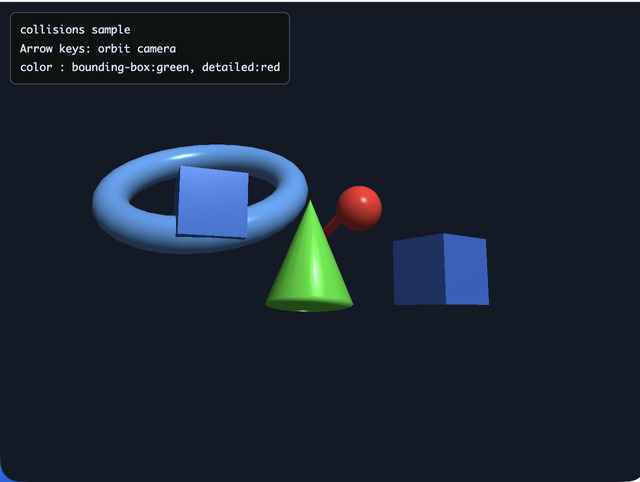
Overview
- This sample first takes broad-phase candidates from
space.checkCollisions()using axis-aligned bounding-box overlap checks (AABB), then verifies detailed collisions in the sample itself with sphere-vs-mesh distance checks - Collision states are color-coded as blue (no collision), green (AABB only), and red (detailed collision), so the difference between broad-phase and detailed checks can be compared at the same time
How to Run
- Open ./collisions.html
- Use a browser with WebGPU support, and check the help panel and HUD together with the sample when needed
webg Features Used
Space.checkCollisions: detects AABB collision candidate pairsShape.getBoundingBox / mesh access: supports the detailed sphere-vs-mesh checks inside the sampleShape.updateMaterial: changes colors according to the current stateNode: controls moving objects and camera orbits
Checkpoints
- Compare how the hit targets differ between green hits that only passed the AABB candidate test and red hits that also passed the sphere-vs-mesh distance test
- Confirm that the collision-state colors change in sync with the check timing, verifying that the visual-debugging flow is useful
- Change the camera angle and confirm that false positives do not increase, verifying that the collision test itself does not depend on the display
Controls
ArrowLeft / ArrowRight: orbit the camera horizontallyArrowUp / ArrowDown: orbit the camera vertically- Touch UI (
coarse pointerdevices): the same operations are available as two button groups,← / ↑on the left and↓ / →on the right